Key Takeaways
-
Start on a low setting and confirm airflow reaches your chest or back, then raise the speed only when heat or activity increases to protect battery life and reduce noise.
-
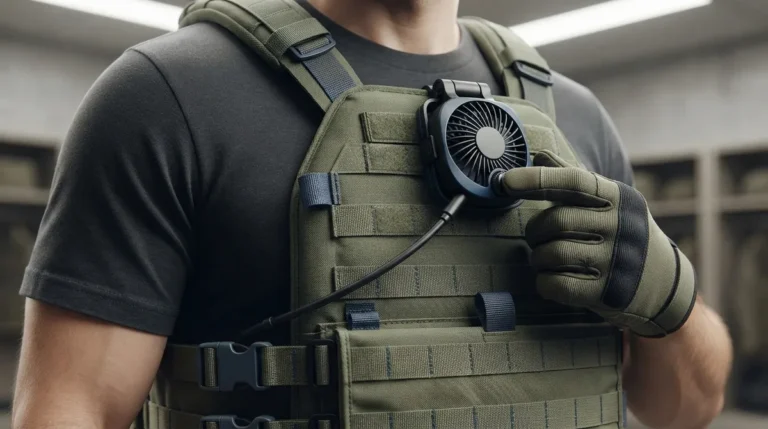
Use the control knob to adjust speed, but check your model's manual for exact markings and turn direction, since these can vary between units.
-
Advertised runtimes are about 8 hours on high and up to 32 hours on low, though these are unverified claims and real battery life depends on conditions and gear.
-
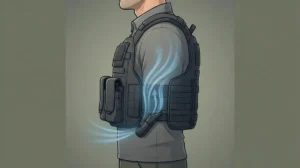
Aim the air-redirect spout into the gap between your body and armor, and keep the intake and outlet clear of fabric, straps, and gear for the best airflow.
-
If the fan won't change speed, first check that the unit is charged, powered on, and not blocked, then test it off the vest before contacting the seller or manufacturer.
-
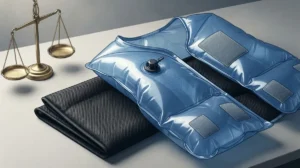
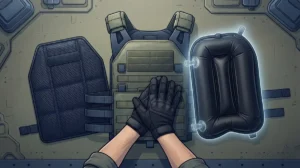
Pairing the BluFano with a BluHalo ventilation vest creates extra space under the armor, giving the fan more room to move air and improving overall cooling.
You pulled on your vest, headed out for a long shift, and the heat started building by hour two. Sound familiar? If you wear body armor, you know how fast sweat and trapped heat can wear you down. That is where an active fan system can help. But a fan only works well when you set it right.
The good news is that learning how to adjust BluFano fan speed takes about ten seconds. The harder part is knowing which setting fits which moment. Too low, and you may still feel warm. Too high, and you may drain the battery before your shift ends.
In this friendly guide, we will walk through the control knob, the best starting settings, and smart placement tips. We will also cover battery life, noise, and simple fixes if your fan seems stuck. Whether you work patrol, security, tactical operations, or emergency response, you will find a setup that keeps you cool and focused. Let’s dive in.
What Is the BluFano and How Does It Cool You?
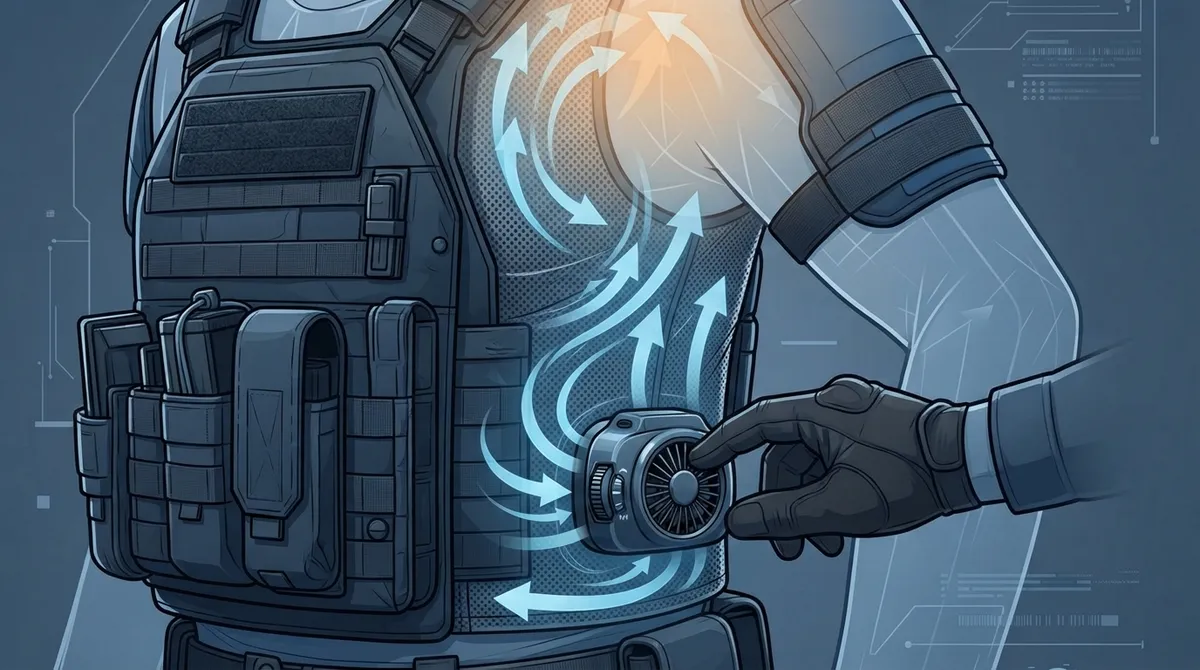
The BluFano is an active airflow unit made by BluHalo. It is a self-contained fan system built to cool the area under ballistic vests and body armor. A patented air-redirect spout slides under your armor and sends fresh air where heat and sweat tend to collect.
Here is what makes it handy for people on duty:
- Adjustable fan speed: A control knob lets you raise or lower airflow as needed.
- Built-in 10,000mAh power bank: It runs the fan and can also charge USB devices.
- Air-redirect spout: It fits under many styles of body armor and can be secured with an optional strap.
- Forward-facing light: It gives you hands-free light in low-light situations.
Think of it like a personal breeze that moves with you. Instead of letting heat sit against your body, the fan keeps air moving so moisture can escape. If you want a deeper look at the system, check out our 14 BluFano facts every vest wearer should know.
How to Adjust BluFano Fan Speed: Step by Step
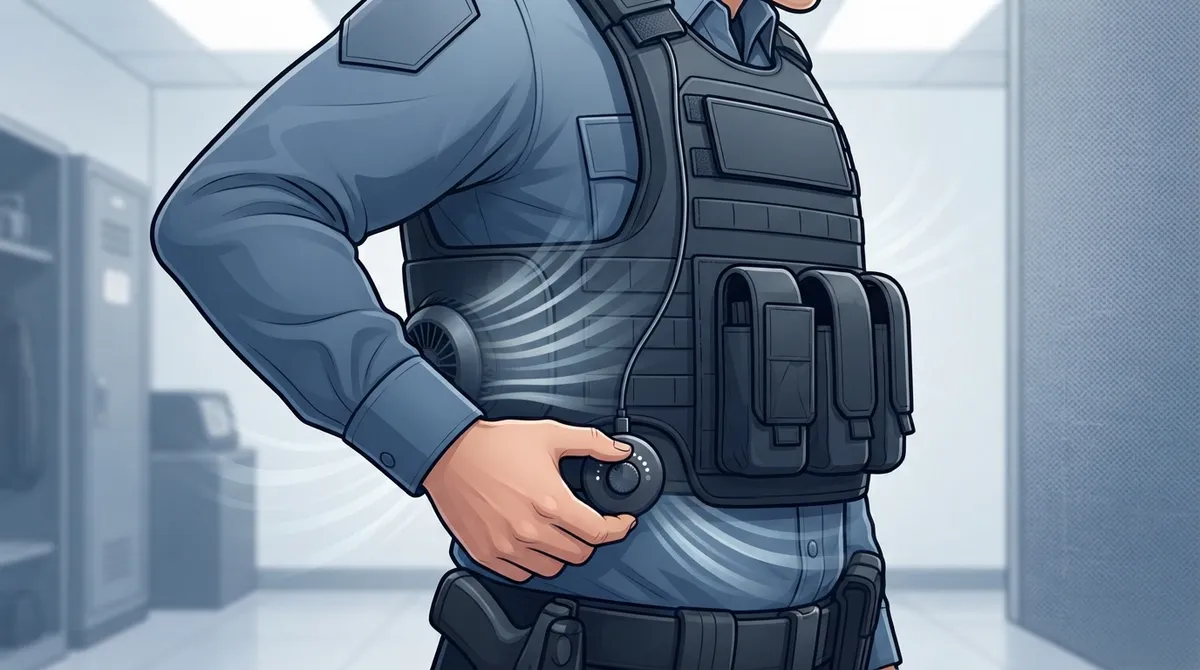
Good news: you do not need tools, apps, or a long manual to change the speed. The unit uses a control knob. Here is the simple process.
- Make sure the unit is charged. A low battery can make any fan seem weak, no matter the setting.
- Locate the control knob on the BluFano body. This is the dial you use to turn the fan on and change its speed.
- Turn the knob toward a lower setting if you want quieter operation and longer battery life.
- Turn the knob toward a higher setting if you need stronger airflow for heat or hard activity.
- Feel the airflow under your vest. Pause for a few seconds and confirm air is reaching your chest or back.
- Fine-tune as needed. Nudge the knob until you find the right balance of comfort and battery use.
One quick note: the exact knob markings, number of speed levels, and turn direction can vary by model. The sources we reviewed do not list precise markings, so check the manual that came with your unit for specifics. When in doubt, the manual is your best friend.
Which BluFano Speed Should You Use and When?
Picking the right speed is a bit like picking the right gear on a bike. You do not need top gear on a flat road. Here is a simple way to think about it.
| Situation | Suggested Setting | Why It Helps |
|---|---|---|
| Cool morning, desk or light duty | Low | Quiet, saves battery |
| Long patrol in mild weather | Low to medium | Steady comfort across the shift |
| Hot day, steady activity | Medium to high | Stronger airflow to clear heat and sweat |
| Foot pursuit, training, or heavy exertion | High | Maximum airflow when your body heats up fast |
| Stakeout or quiet post | Low | Less noise and longer runtime |
A smart habit is to start low and confirm that air reaches the right spot. Then bump it up only when you need it. This approach protects your battery and keeps noise down.
How Long Does the Battery Last at Each Speed?
Battery life depends on the speed you choose. Product pages advertise about 8 hours on the highest setting and up to 32 hours on the lowest. Some pages also estimate roughly 15 to 20 hours on a medium setting. These figures are advertised claims, not independently verified test results, so treat them as ballpark numbers.
| Fan Setting | Advertised Runtime (Approx.) | Best For |
|---|---|---|
| High | About 8 hours | Short bursts of heavy heat or activity |
| Medium | About 15 to 20 hours (estimate) | Most full shifts in warm weather |
| Low | Up to 32 hours | Long shifts, quiet settings, mild weather |
Real-world results will vary. Battery condition, outside temperature, and how much airflow resistance your gear creates all play a part. If you also use the power bank to charge a phone or radio accessory, expect the runtime to drop. For a closer look at how speed affects runtime, read how fan speed affects vest cooling battery life in 2026.
Where to Position the Air-Redirect Spout for Best Airflow
Speed is only half the story. Placement matters just as much. If the airflow is blocked or pointed the wrong way, even the highest setting will feel weak.
Here is how to get the most from your setup:
- Aim the spout into the gap. Point it so air flows into the space between you and the vest or armor.
- Keep the intake clear. Do not let fabric, straps, or gear cover the fan intake.
- Keep the outlet open. A blocked outlet cuts cooling fast.
- Avoid squeezing the spout. A compressed spout can restrict airflow.
- Recheck after changes. If you swap vests or shift your carrier, confirm the airflow again.
Want to learn more about mounting? Our guide on how to mount BluFano on an outer vest covers the basics. You can also explore how to position a fan under body armor for best airflow for extra tips.
Matching Fan Speed to Your Job
Every role has different heat demands. Here is how a few common groups might think about speed.
Patrol Officers and Security Guards
You often sit in a car, then step out into the sun. Try low or medium for most of the shift. Bump it up when you leave the car or work an outdoor post. A pro tip: many users report cooling off faster by using the car’s AC along with the fan.
Tactical Teams and Military Personnel
Heavy gear and high exertion call for stronger airflow during action. Use high when the work is intense. Drop it back down during staging or downtime to save power. Noise can matter too, so lower settings help when you need to stay quiet.
Emergency Responders
Firefighters, hazmat crews, and EMS teams face extreme heat in short, intense bursts. Use higher settings when you can and recover on lower ones. Also, remember that heat illness is serious. The OSHA heat stress guide offers helpful safety basics for hot work environments.
Pairing BluFano With BluHalo for Even More Cooling
Want an extra edge? BluHalo is a lightweight ventilation vest worn under body armor. It weighs under 7 ounces and can lift your vest up to about 1.5 inches off your body when inflated. That gap gives the BluFano air more room to move.
Together, they work like a team. BluHalo creates the space, and BluFano pushes fresh air through it. If you want to see how the two fit together, take a look at 8 steps to use BluHalo and BluFano together. You can also compare them in BluFano vs BluHalo: which cooling vest fits you. Bundles are often available at a discount, which makes it easier to get the full setup.
Why Is My BluFano Not Changing Speed?
Do not panic if the fan seems stuck. Most problems have simple fixes. Try these steps in order:
- Check the charge. Plug in the unit and let it power up. Low battery can weaken airflow.
- Confirm it is powered on. Make sure the knob is not sitting in the off position.
- Clear the air path. Look for fabric, straps, or gear blocking the intake or outlet.
- Check the spout. Make sure it is not pinched or squished under your armor.
- Test it off the vest. Hold the unit in your hand and turn the knob. You should feel a change in airflow.
- Contact support. If nothing changes, reach out to the seller or consult the manual.
Please do not force the knob or take the unit apart. That can cause damage and may void your warranty. Model-specific help from the manufacturer is the safest route.
Simple Habits for All-Day Cool Comfort
A few small habits can make your BluFano work even better. Try these tips:
- Charge the unit before every shift so you start with a full battery.
- Start on a low setting and raise it only when you need more air.
- Wear moisture-wicking layers under your armor to help sweat escape.
- Check your airflow after you adjust your vest or gear.
- Keep the intake and outlet free of lint and debris.
Want more ideas for staying comfortable? Our guide to using a BluFano body armor fan for all-day cool goes deeper. You can also read how to stop overheating under body armor on duty for broader strategies. For standards on the armor itself, the NIJ body armor resource is a trusted place to start.
Final Thoughts: Find Your Sweet Spot
Learning how to adjust BluFano fan speed is really about finding your sweet spot. Start low, check your airflow, and raise the speed as the day heats up. Keep the spout aimed right and the vents clear, and you will get the most from every charge.
You work hard to keep others safe. You deserve gear that keeps you comfortable while you do it. BluHalo and BluFano are built with everyday heroes in mind, and they make long, hot shifts far easier to handle.
Have a question about setup, speeds, or bundles? Our team is happy to help. Contact the BluHalo team today and find the cooling setup that fits your shift.
FAQs
Q: How do you adjust the fan speed on a BluFano?
A: Just use the control knob on the unit. Turn it toward a lower setting for quieter operation and longer battery life, or toward a higher setting for stronger airflow. Check your manual for the exact markings and turn direction on your model.
Q: Which BluFano setting is best for a long shift?
A: Most people do well starting on a low or medium setting and bumping it up only when the heat or activity climbs. Lower speeds are generally quieter and last longer on a charge. Advertised runtimes reach up to 32 hours on low, though real results vary.
Q: Why is my BluFano fan not changing speed when I turn the knob?
A: Start with the easy stuff: make sure the unit is charged, powered on, and that nothing is blocking the intake, outlet, or spout. If airflow still does not change, skip the DIY repairs and contact the seller or check the manual for model-specific help.
Q: Does running a BluFano on high drain the battery faster?
A: Yes, higher speeds move more air but use more power. Product pages advertise about 8 hours on high versus up to 32 hours on low. These are claims, so your actual runtime may differ.
Q: Where should I point the BluFano air outlet under my vest?
A: Aim the air-redirect spout so it sends air into the space between your body and the vest or armor. Keep the intake and outlet clear of fabric and straps, and avoid squeezing the spout. Recheck the airflow whenever you shift your vest or gear.