Key Takeaways
-
Higher fan speeds move more air but draw more current, so battery life drops sharply; the low setting typically lasts about twice as long as the high setting.
-
Estimate runtime by dividing battery energy in watt-hours by the fan's power draw in watts, and leave a margin for battery inefficiency.
-
Compare batteries using watt-hours (Wh) rather than mAh alone, since mAh ignores voltage and can be misleading.
-
Higher speed does not always mean more cooling; in hot, humid conditions or with restrictive layers, a medium setting can provide nearly the same comfort while saving battery.
-
Use a stepped strategy: run low or medium during calm periods, use high during peak heat or after heavy exertion, and keep a reserve for longer-than-expected shifts.
-
Advertised runtimes usually reflect low speed and ideal conditions, so real-world life falls short with high settings, battery aging, extreme temperatures, and blocked airflow.
You pull on your vest at the start of a long, hot shift. You flip the fan to high because it feels great. Then, hours before shift end, the battery dies and the heat comes rushing back. Sound familiar? If you wear body armor, you know how much that moment stinks.
Here is the good news. You have more control than you think. How fan speed affects vest cooling battery life comes down to simple math and a few smart habits. Once you understand the link between airflow and power draw, you can plan your shift, pick the right setting, and stay comfortable from first call to last.
In this guide, we break it all down in plain language. You will learn why faster fans drain batteries sooner, how to estimate runtime, and how to balance cooling with power. Whether you patrol a beat, guard a site, respond to emergencies, or serve in the field, these tips will help you get the most from every charge.
The Short Answer: Faster Fans Use More Power
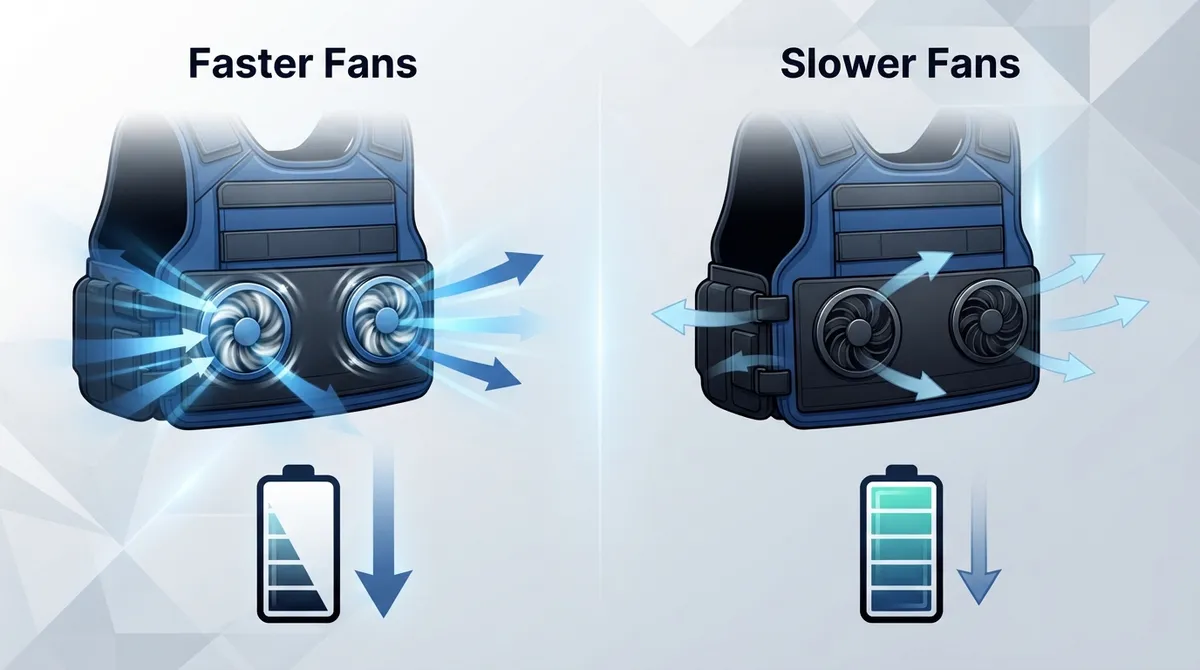
In a battery-powered ventilation vest, a higher fan speed moves more air. It also pulls more electrical power from the battery. That means the battery runs down sooner.
A lower setting does the opposite. It sips power, so the battery lasts longer. But it moves less air, so the cooling effect may feel lighter.
The exact change depends on a few things:
- The fan motor and how efficient it is
- The controller that sets the speed
- The battery size and quality
- How the vest or garment lets air flow
So there is no single number that fits every product. Think of it like a car. Driving faster burns more fuel, but the exact amount depends on the car, the road, and the load.
How Fan Speed and Battery Drain Work Together
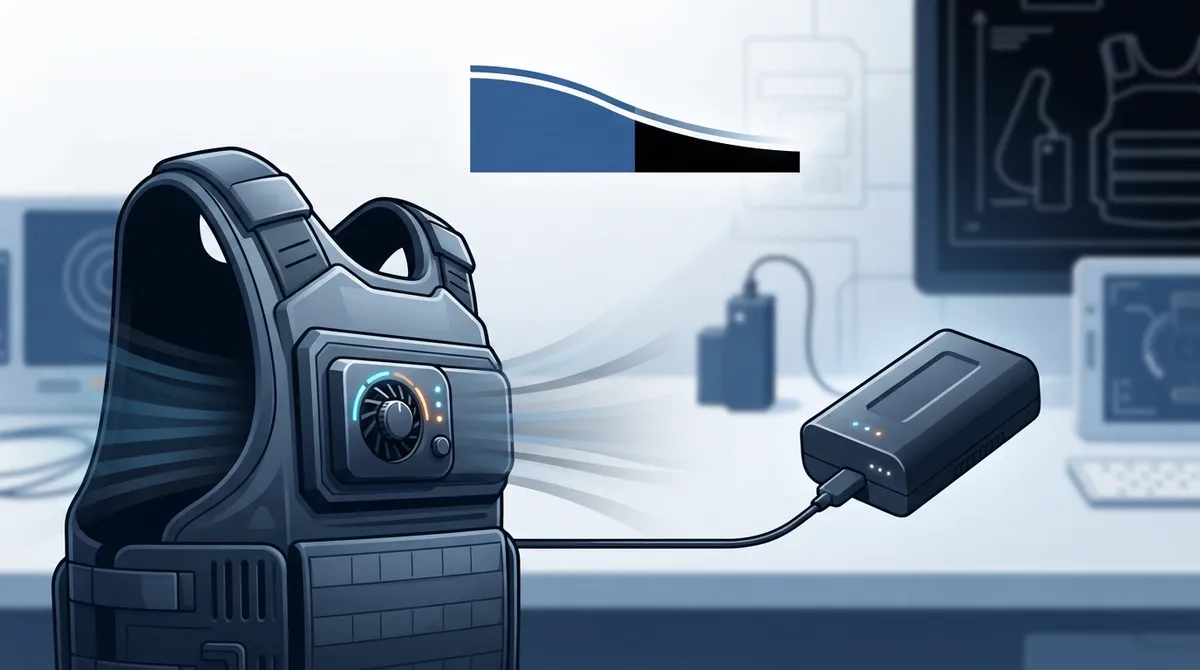
A fan is a small motor. When you turn up the speed, the motor spins faster. A faster spin needs more current from the battery. More current means a quicker drain.
The link is not always a straight line. Small increases in speed can sometimes cause bigger jumps in power use. That is why the top setting often costs much more runtime than the middle one.
A Real-World Look at Published Runtimes
Manufacturers often share runtime ranges for low and high settings. These numbers are helpful, but treat them as estimates. They are not independent lab results, and each product is different.
| Source Type | Battery | Low Setting | High Setting |
|---|---|---|---|
| One product listing (manufacturer figures) | 20,000 mAh | About 25 hours | About 12 hours |
| Retailer guidance for 5 V fan vests | 10,000 mAh | 6 to 8 hours | 3 to 5 hours |
| Retailer guidance for 5 V fan vests | 20,000 mAh | Roughly double the 10,000 mAh range | Roughly double the 10,000 mAh range |
| Separate retailer range | Varies | About 4 to 11 hours overall | |
Notice the pattern. On every line, the low setting lasts roughly twice as long as the high setting. That is a handy rule of thumb. Just remember that these figures come from manufacturers and retailers, not standardized independent tests.
How to Estimate Your Vest Runtime
You do not need to be an engineer to estimate runtime. The basic idea is simple:
Runtime is roughly the usable battery energy divided by the power the fan system draws.
Here is how to work it out step by step:
- Find the battery energy in watt-hours (Wh). If the label only lists mAh, multiply mAh by the battery voltage, then divide by 1,000. For example, a 10,000 mAh battery at 3.7 V holds about 37 Wh.
- Find the fan power draw. Check the manual or product page for watts or current at each speed. Watts equal volts times amps.
- Divide energy by power. If your fan draws 5 watts and your battery holds 37 Wh, you get about 7 hours.
- Leave some room for loss. Batteries are never perfectly efficient, so expect a little less than the math says.
- Repeat for each speed. Do the same math for low, medium, and high so you know your options.
This is why many experts prefer Wh over mAh. A mAh number alone ignores voltage, so it can be misleading when you compare two batteries.
Why mAh Alone Can Fool You
Two batteries can both say 10,000 mAh and still hold different amounts of energy. One may run at a higher voltage. When you compare packs, look for the Wh rating or do the quick math above. It gives you a fair, side-by-side picture.
Does Higher Speed Always Mean Cooler?
Not always. This surprises a lot of people. More airflow can help you feel more comfortable. Moving air carries heat away and helps sweat evaporate. But it does not guarantee more cooling in every situation.
Here are a few reasons why:
- Hot, humid air: If the air is already warm and wet, moving it faster helps less. Sweat cannot evaporate as easily.
- Limited airflow paths: If air has nowhere to go, extra speed just wastes power.
- Restrictive layers: Thick or tight layers can block the flow and reduce the benefit.
The takeaway is this. The highest setting is not always the smartest one. Sometimes a medium setting gives you almost the same comfort and saves a lot of battery. Learn more about how body armor air conditioning actually works to see why airflow design matters as much as raw speed.
More Fans, More Drain? Not Quite Double
Many people wonder if two fans drain the battery twice as fast. Often it is close to that, but not always exactly. The number of fans and the resistance in the airflow path both change power use.
Here is what can shift the numbers:
- Blocked intake or exhaust openings make fans work harder
- Restrictive layers add resistance
- Different fan sizes and motors draw different amounts
- Controller settings can limit total power
Check your vest manual for the power draw at each setting. Do not guess. The model-specific number beats any general rule.
The Smart Way to Pick a Fan Speed
Adjustable speeds let you trade airflow for runtime. Use that power wisely. Here is a simple approach that works for most shifts.
- Start low or medium early in the shift. Cool down gradually and save energy while conditions are mild.
- Bump up the speed during peak heat. Use high when the afternoon sun beats down or when you work hard.
- Drop back down during calm moments. Waiting in the cruiser, standing a post, or taking a break? Lower the speed.
- Use extra airflow after exertion. A short burst on high after a foot pursuit or heavy work can help you recover fast.
- Keep a reserve. Plan to have some battery left in case the day gets longer than expected.
This stepped plan fits many jobs. Patrol officers can lower the fan in the car and raise it on foot. Security guards can run it low on a quiet post. Military teams and emergency crews can save power for the hardest moments.
Tips to Make Your Battery Last a Full Shift
Speed is only one piece of the puzzle. These habits stretch your runtime even further:
- Start fully charged. Charge the battery before every shift and follow the maker’s charging and safety rules.
- Keep intake and exhaust clear. Blocked paths force the fan to work harder.
- Use a compatible spare. If your battery is replaceable, carry a second one for long days.
- Pick the right size battery. A larger Wh rating gives you more time at any speed.
- Watch the layers. Fewer restrictive layers means easier airflow and less power use.
- Store batteries properly. Avoid leaving them in extreme heat when not in use.
For more on keeping airflow open, see this guide on how to improve airflow under body armor. Good airflow helps you feel cooler without needing the top speed.
Why Your Battery May Die Faster Than the Advertised Runtime
Many users notice that real-world runtime falls short of the box. This is normal, and there are clear reasons.
- Claims use the lowest setting. Many headline numbers come from low speed, but people often run high.
- Test conditions differ. Labs use ideal setups. Your day includes heat, movement, and layers.
- Battery aging. Older batteries hold less energy than new ones.
- Cold or hot weather. Extreme temperatures can reduce battery performance.
- Airflow resistance. Tight gear and blocked vents raise power use.
Remember that published runtimes are model-specific estimates. Compare products only when the battery, speed setting, fan count, and test conditions match.
Why Heat Management Matters Beyond Comfort
Staying cool is not just about feeling nice. Heat stress can hurt focus, slow reactions, and raise health risks. The OSHA heat stress guidance explains how heat affects workers and why cooling and rest matter. If you wear armor all day, a reliable cooling plan is part of staying safe.
Body armor itself is built to strict performance standards, which you can explore through the National Institute of Justice body armor resources. Any cooling add-on should work alongside your armor without getting in the way of fit or protection. For a deeper dive, read how to prevent heat stress while wearing body armor.
Why Blufano Is a Top Choice for Battery-Smart Cooling
If you want a system built around smart battery use, the Blufano is worth a close look. It is a self-contained, active airflow unit with a patented air-redirect spout that slides under any style of body armor. You can secure it with an optional strap.
Here is why it stands out for the topic of this article:
- Adjustable fan speed: A simple control knob lets you trade airflow for runtime on the fly.
- Long runtime range: It delivers about 8 to 32 hours depending on the setting. That wide range shows exactly how fan speed shapes battery life.
- Built-in 10,000mAh power bank: It powers the fan and can also charge your USB devices.
- Forward-facing light: Handy for low-light moments when your hands are busy.
- Built for duty: It is made for daily use by law enforcement and similar professionals.
Think about that 8-to-32-hour spread. Run it on the lowest setting and you can stretch one charge across multiple shifts. Run it on high during the hottest hours and you get maximum airflow when you need it most. That is the speed-versus-runtime tradeoff in action. You can read more in our BluFano vest cooling fan review or see how to use a BluFano body armor fan to stay cool.
Pair It With BluHalo for Even Better Cooling
Fan speed is only half the story. The other half is creating space for air to move. That is where BluHalo comes in. It is a lightweight ventilation vest, under 7 ounces, designed to boost airflow, reduce moisture, and release trapped heat.
BluHalo sits flat and low-profile when deflated. When you inflate it, it lifts the vest up to about 1.5 inches off your body. That gap gives air room to flow, so a fan can do more with less power. Better airflow paths can mean you feel cooler at a lower fan speed, which saves battery.
It was created by a Chicago police officer who knew the struggle of overheating under armor. You can attach it to a clean vest with Velcro, inflate it on demand, and deflate it with a button when you do not need it. Together, BluHalo and Blufano make a powerful pair. You can compare them in BluFano vs BluHalo: which vest cooling system is better, or browse the full lineup in our shop. Bundles are also available at a discount.
If you want to see what other officers think, check out the customer reviews. For more on choosing gear, try our guide on how to choose the right body armor ventilation vest in 2026.
A Quick Planning Checklist Before Your Shift
Use this short checklist to make sure you will not run out of power:
- Charge your battery to full.
- Check the Wh rating and fan power at each speed.
- Estimate how many hours you will spend on each setting.
- Pack a spare battery if your vest allows it.
- Clear intake and exhaust openings.
- Plan to use a lower speed when conditions allow.
A few minutes of planning can save you hours of discomfort. Just like checking your radio or flashlight, checking your cooling gear should be part of your routine.
Final Thoughts: Balance Cooling and Battery Life
Now you know how fan speed affects vest cooling battery life. Higher speed means more airflow but faster drain. Lower speed saves power but gives lighter cooling. The sweet spot depends on your gear, your job, and the weather.
Use adjustable speeds wisely, keep airflow paths clear, and plan your power like you plan the rest of your shift. Pair a smart fan system like Blufano with BluHalo’s air gap, and you get comfort that lasts. Ready to find the right setup for your duty? Have questions about runtime or fit? Get in touch with our team and we will help you build a cooling plan that works for you.
For a pool break after a hot day, you might even like these tips from Panther Pools for cooling off at home. Stay safe, stay cool, and keep that battery working for you.
FAQs
Q: How much longer does a ventilation vest battery last on low speed than on high?
A: As a rule of thumb, the low setting often lasts about twice as long as the high setting. For example, one product listing shows about 25 hours on low and 12 hours on high with a 20,000 mAh battery. These are manufacturer estimates, so your real results will vary by model and conditions.
Q: Is battery capacity in mAh or Wh more useful when comparing cooling vests?
A: Wh is more useful because it accounts for voltage, while mAh alone does not. Two batteries with the same mAh can hold different amounts of energy. If you only see mAh, multiply it by the voltage and divide by 1,000 to get Wh.
Q: Does higher fan speed always make a ventilation vest feel cooler?
A: Not always. More airflow helps sweat evaporate and carries heat away, but hot, humid air and blocked airflow paths can limit the benefit. A medium setting often gives strong comfort while saving a lot of battery.
Q: How can I make my cooling vest battery last through a full work shift?
A: Start with a full charge, use lower speeds when conditions allow, and keep intake and exhaust openings clear. Carry a compatible spare battery if you can. Systems like Blufano, which offers about 8 to 32 hours depending on the setting, let you match speed to the moment.
Q: Why does my ventilation vest battery run out faster than the advertised runtime?
A: Advertised runtimes often come from the lowest setting and ideal test conditions. Real-world factors like high speed use, extreme weather, an aging battery, and restrictive layers all drain power faster. Treat published numbers as model-specific estimates, not guarantees.