Key Takeaways
-
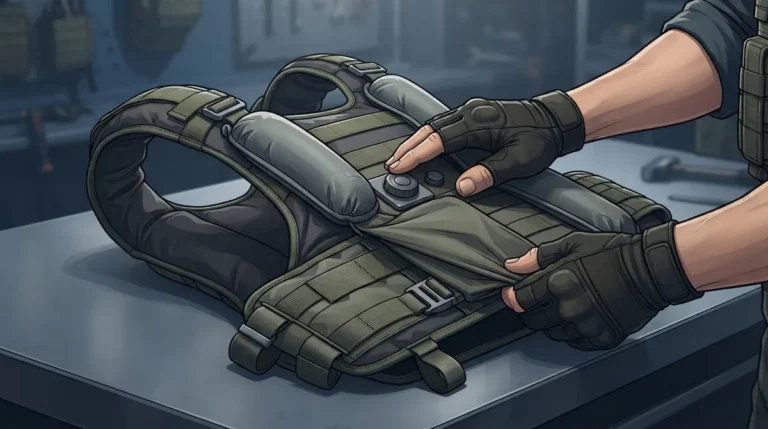
Adjust the BluHalo gap by feel: pump in small amounts, pause after a few squeezes, and stop once airflow feels comfortable. The 1.5-inch maximum lift is a limit, not a target.
-
Set up first by cleaning and drying the hook-and-loop surfaces, fully deflating the insert, and smoothing out all folds before adding any air.
-
Use the quick-release button to flatten the insert when you need a snug fit for fast movement, foot pursuits, or vehicle entry, and when you're done cooling.
-
Check fit and movement after each adjustment: confirm the carrier is centered and closed, then bend, twist, reach, and sit to ensure easy breathing and gear access.
-
Signs of over-inflation include a shifting or riding-up carrier, changed armor coverage, pressure on the back or ribs, and restricted movement. Press the release button if any appear.
-
BluHalo is a ventilation accessory, not ballistic protection. Never cut or alter armor panels or carriers to make room for the insert.
Ever finished a long, hot shift and thought, “My vest feels like a personal sauna”? You’re not alone. The good news is that a little bit of air space under your armor can make a big difference. The even better news is that learning how to adjust the BluHalo ventilation gap takes just a couple of minutes once you know the basics.
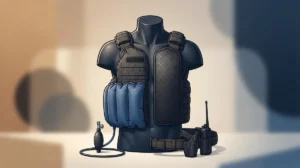
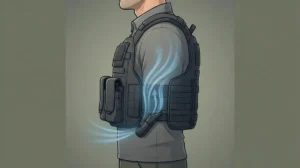
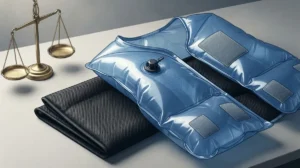
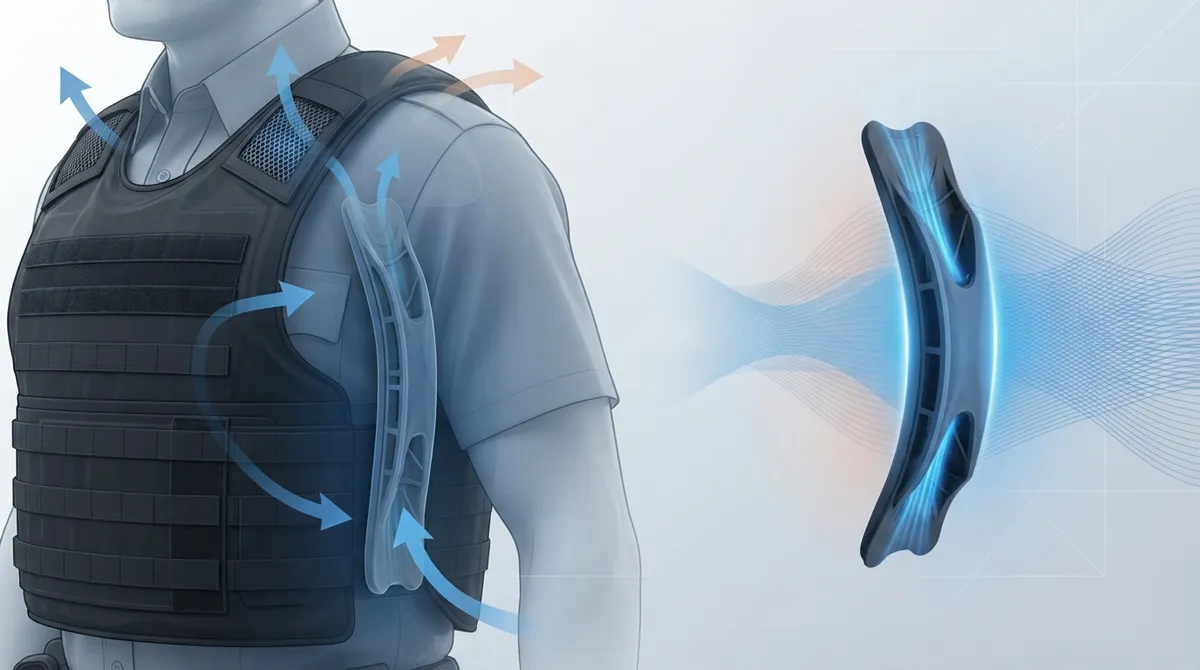
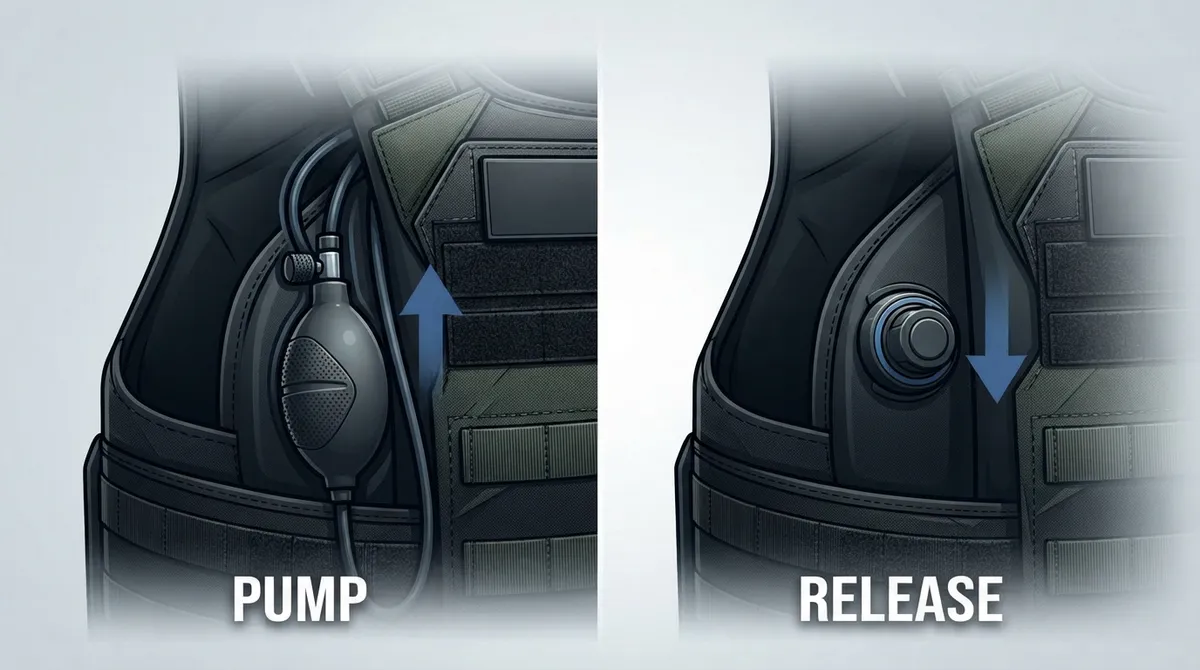
BluHalo is a lightweight inflatable insert that sits between you and your body-armor carrier. It creates room for air to move so heat and sweat don’t get trapped against your body. The gap is controlled by two simple actions: pumping air in and releasing air out. Think of it like a volume knob you control by hand.
In this friendly guide, we’ll compare the two moves that shape your gap, the pump and the quick-release button. We’ll walk through setup, how much air is enough, and how to tell when you’ve gone too far. Whether you patrol a beat, guard a site, or respond to emergencies, this will help you find your comfort sweet spot.
How the BluHalo Ventilation Gap Works
BluHalo is a ventilation accessory. It does not blow cold air or cool the air itself. Instead, it lifts your carrier slightly off your body so air can circulate and moisture can escape. Product information describes a maximum lift of about 1.5 inches when fully inflated, and the device weighs under 7 ounces.
That 1.5 inches is a maximum, not a target. There is no numbered dial or calibrated pressure setting. You adjust the gap by feel, adding air until you notice comfortable airflow and stopping there. If you want a deeper look at the product, visit the BluHalo product page.
This hands-on style is actually a perk. Every wearer has a different build, a different carrier, and different weather. You get to tune the gap to match your day instead of settling for a one-size-fits-all setting.
Pump vs. Release: Two Controls, One Goal
Your whole adjustment comes down to two controls. Here’s how they compare side by side.
| Control | What It Does | Best Used When | Watch Out For |
|---|---|---|---|
| Manual pump | Inflates the insert to create or widen the air gap | Heat is building, you’re standing or sitting, or you’re on a long hot stretch | Over-inflating can shift the carrier or restrict movement |
| Quick-release button | Deflates the insert so it lies flat | You need a snug fit, are moving fast, or are done with cooling for now | Releasing too much at once may change how the carrier sits |
So which one “wins”? Honestly, they work as a team. The pump opens the gap and the release button closes it. The real winner is you, because you decide how much air space your day calls for.
When the Pump Is Your Best Friend
Reach for the pump when heat starts to creep in. Maybe you’re parked in the sun, standing a long post, or working a summer detail. A few gentle squeezes can open up that air channel and bring quick relief.
Pump slowly and check how it feels after each few squeezes. A little air often does the job. You are looking for comfortable airflow, not maximum lift.
When the Release Button Steps In
Use the quick-release button when you want your carrier to sit closer to your body. This is handy before a foot pursuit, when climbing in and out of a vehicle, or when you need full freedom of movement. Press it and the insert flattens out.
It’s also smart to deflate when you’re done cooling off for the day. A flat insert stays low-profile and ready for the next hot shift.
Step-by-Step: Setting Up BluHalo Before You Adjust
A good gap starts with a good setup. If the insert isn’t attached well, no amount of pumping will fix it. Here’s a simple routine, and our guide on how to install BluHalo on body armor the right way covers it in more depth.
- Start clean and dry. Make sure the hook-and-loop surfaces on your carrier are free of dirt and moisture.
- Deflate the insert fully. Press the quick-release button so it lies completely flat.
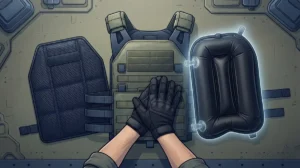
- Attach it to compatible surfaces. Follow the product and carrier instructions, and check out how to attach BluHalo Velcro patches the right way for placement tips.
- Smooth out any folds. The insert should lie flat with no creases or bunching.
- Put on your carrier and close it securely. Confirm it sits correctly before you add any air.
Once you’re set up, you’re ready to dial in your gap.
How to Adjust the BluHalo Ventilation Gap Step by Step
Now for the main event. This is the simple routine for how to adjust the BluHalo ventilation gap safely and comfortably. For another walkthrough, see our easy guide to inflating and deflating BluHalo.
- Start from flat. Begin with the insert deflated so you have a clear baseline.
- Pump a little at a time. Use the manual pump and add air in small amounts.
- Pause and feel. After a few squeezes, notice how your back and chest feel. Do you sense airflow and relief?
- Stop when it’s comfortable. You do not need the full 1.5 inches. Stop as soon as the air space feels right.
- Run a quick fit check. Make sure the carrier is still centered, closed, and covering what it should.
- Test your movement. Bend, twist, reach, and sit. Check that you can breathe easily and reach your duty gear.
- Fine-tune as needed. Add a little air or tap the quick-release button to lower the gap.
That’s it. No tools and no complicated settings.
How Much Gap Is Enough?
Here’s a common question: can you set BluHalo to a specific measurement? The honest answer is no. The product information describes a maximum lift and does not provide a calibrated pressure or numbered adjustment. Your best guide is comfort and a correct fit.
Here are some friendly rules of thumb:
- Hot, still days: You may want a little more air space to move heat away.
- Active or mobile duty: Keep the gap smaller so your carrier stays close and steady.
- Driving or seated work: A modest gap can help airflow where the seat presses your back.
- Cooler weather: You may need only a touch of air, or none at all.
Remember that the goal is comfortable airflow, not the biggest gap possible. A smaller gap that feels great beats a huge one that makes your carrier wobble.
Signs You’ve Inflated Too Much
Over-inflating is the most common slip-up, and it’s easy to fix. Watch for these signals:
- The carrier shifts or rides up on your body.
- Your armor coverage looks different than usual.
- You feel pressure on your back, ribs, or chest.
- Your movement or breathing feels restricted.
- You have trouble reaching your belt or gear.
If you notice any of these, just press the quick-release button to let some air out. Then reassess your fit rather than forcing a larger gap. Your carrier should stay properly positioned and securely closed at all times.
BluHalo vs. a Guess-and-Go Approach: Why Checking Matters
It’s tempting to pump a bunch of air in and call it a day. But a quick check each time you adjust keeps you safe and comfortable. Here’s how a careful routine compares to a rushed one.
| Approach | What You Do | Likely Result |
|---|---|---|
| Careful adjustment | Pump a little, pause, check fit and movement | Comfortable airflow, steady carrier, full coverage |
| Rushed adjustment | Pump to maximum without checking | Possible shifting, pressure, or restricted movement |
A few extra seconds of checking goes a long way. It also helps you learn your own sweet spot so future adjustments feel automatic.
Keep Your Armor Fit and Coverage Safe
This part matters, so let’s be clear. BluHalo is a ventilation accessory. It is not ballistic protection and it is not a substitute for approved armor. Your body armor should still fit and cover you the way it was designed to.
Before you head out, run this quick safety check:
- Confirm the carrier is positioned and closed correctly.
- Make sure your intended armor coverage has not changed.
- Check breathing, mobility, and access to duty equipment.
- Verify compatibility with your carrier manufacturer if you’re unsure.
Never cut, alter, or modify your armor panels or carrier to make room for the insert. If something doesn’t fit right, deflate and reassess. For more on safe standards, the National Institute of Justice shares helpful body armor standards.
Why Adjustable Airflow Matters for Heat Safety
Heat under body armor is more than an annoyance. It can wear you down, cloud your focus, and raise the risk of heat illness. The OSHA heat stress guide explains why managing heat on the job is so important, especially in protective gear.
Being able to adjust your gap on demand helps you respond to changing conditions. You can open up airflow during a hot stretch and flatten the insert when you need to move fast. If you want to learn more about staying safe, read our tips on how to prevent heat stress while wearing body armor.
Pairing BluHalo With Blufano for Extra Relief
BluHalo creates the air space, and that’s a great foundation. If you want even more cooling help, many wearers pair it with Blufano, a fan system that actively moves air beneath body armor. Together, the gap and the fan work as a team to keep heat and moisture from building up.
You can buy each product on its own, or bundle them for a discount. To see how they compare, check out BluFano vs BluHalo, or browse the shop to find the right fit for your duty.
Quick Tips to Keep Your Gap Steady All Shift
Once you find your perfect gap, you want it to stay put. These habits help:
- Keep attachment surfaces clean and dry.
- Make sure the insert lies flat with no folds before inflating.
- Re-check your fit after you get in and out of a vehicle.
- Deflate it before storing so it stays flat and tidy.
If your device tends to slide around, our list of 10 ways to keep a vest cooling device from shifting has plenty of practical fixes.
Wrap-Up: Find Your Sweet Spot and Stay Cool
Learning how to adjust the BluHalo ventilation gap really comes down to two easy moves. Pump to add air and open the gap, then press the quick-release button to flatten it. Add just enough air for comfortable airflow, check your fit, and you’re good to go. The pump and the release button are teammates, and you’re the coach calling the plays.
BluHalo gives everyday heroes a simple, low-profile way to beat vest heat on demand, and we think it’s the smartest first step toward a cooler shift. Got questions about sizing, compatibility, or pairing it with Blufano? Our team is happy to help, so contact us and we’ll get you set up for your next hot day. Stay cool and stay safe out there.
FAQs
Q: How do you inflate the BluHalo ventilation insert?
A: Use the manual pump to add air a little at a time until you feel comfortable airflow. Pause after a few squeezes to check how it feels, then stop as soon as the gap is right for you.
Q: How much ventilation gap does BluHalo create?
A: Product information describes a maximum lift of up to about 1.5 inches when fully inflated. That’s a top limit, not a setting you need to hit, so inflate only enough to feel good.
Q: How do you deflate or flatten a BluHalo insert?
A: Just press the quick-release button and the air flows out. The insert is designed to lie flat when deflated, so it stays low-profile when you don’t need cooling.
Q: Can you adjust the BluHalo gap to a specific measurement?
A: Not exactly. BluHalo has no calibrated pressure or numbered setting, so you adjust by feel. Inflate until airflow is comfortable and your carrier still sits correctly.
Q: How can I tell whether BluHalo is inflated too much?
A: Watch for a shifting carrier, changed armor coverage, pressure on your back or ribs, or restricted movement. If you notice any of these, press the quick-release button and reassess your fit.