Key Takeaways
-
Always match voltage and connector type between your fan and power bank before connecting them; some fast-charging banks output higher than the required 5V and can damage equipment designed for 5V only.
-
Test your complete setup at your actual fan speed for at least one hour before relying on it for a full shift, as runtime claims vary widely by model and real-world battery life differs significantly from manufacturer estimates.
-
A body armor fan helps sweat evaporate to improve comfort but cannot replace hydration, rest breaks, or shade; use it as part of a comprehensive heat-safety plan that includes watching for dizziness, nausea, confusion, and muscle cramps.
-
Choose a low-profile fan design that sits flat under your armor without shifting protective panels or altering coverage, and verify compatibility with your specific armor carrier and manufacturer before purchase.
-
All-in-one systems like Blufano eliminate voltage-matching guesswork and cable management issues by combining the fan and 10,000 mAh power bank in one unit that runs 8 to 32 hours depending on fan speed setting.
-
Route all cables away from door frames, seatbelts, and sharp edges, and keep the power bank close to the fan to minimize cable length and reduce snag points during movement, vehicle entry, or equipment handling.
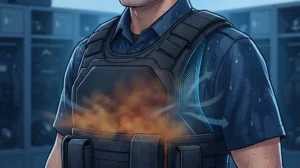
If you wear body armor for a living, you already know the feeling. The shift is only a few hours old, the sun is up, and your vest feels like a wool blanket wrapped around your chest. Sweat pools, focus drifts, and all you want is a little fresh air.
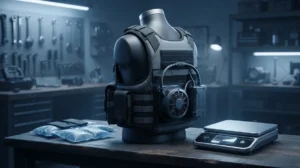
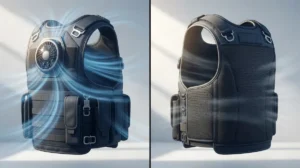
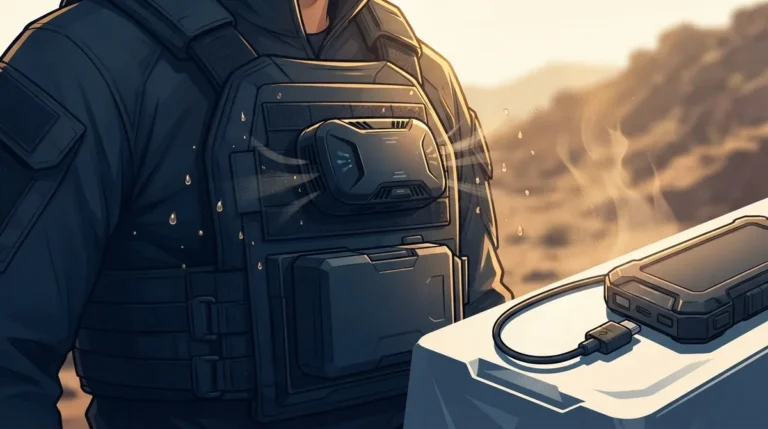
That is where a body armor fan with power bank comes in. It is a small fan system that pushes ambient air beneath your armor carrier, powered by a rechargeable USB battery. Moving air helps sweat evaporate, and that can make you feel a lot more comfortable on long, hot days.
But not every setup is a good one. Some are too bulky, some run out of juice halfway through your shift, and some do not fit under your gear at all. In this friendly guide, we will walk you through how to choose the right fan and power bank combo, how to match the electrical specs, and how to set it up safely. Whether you are a patrol officer, soldier, security guard, tactical team member, or first responder, you will find practical steps you can use today.
What a Body Armor Fan With Power Bank Actually Does
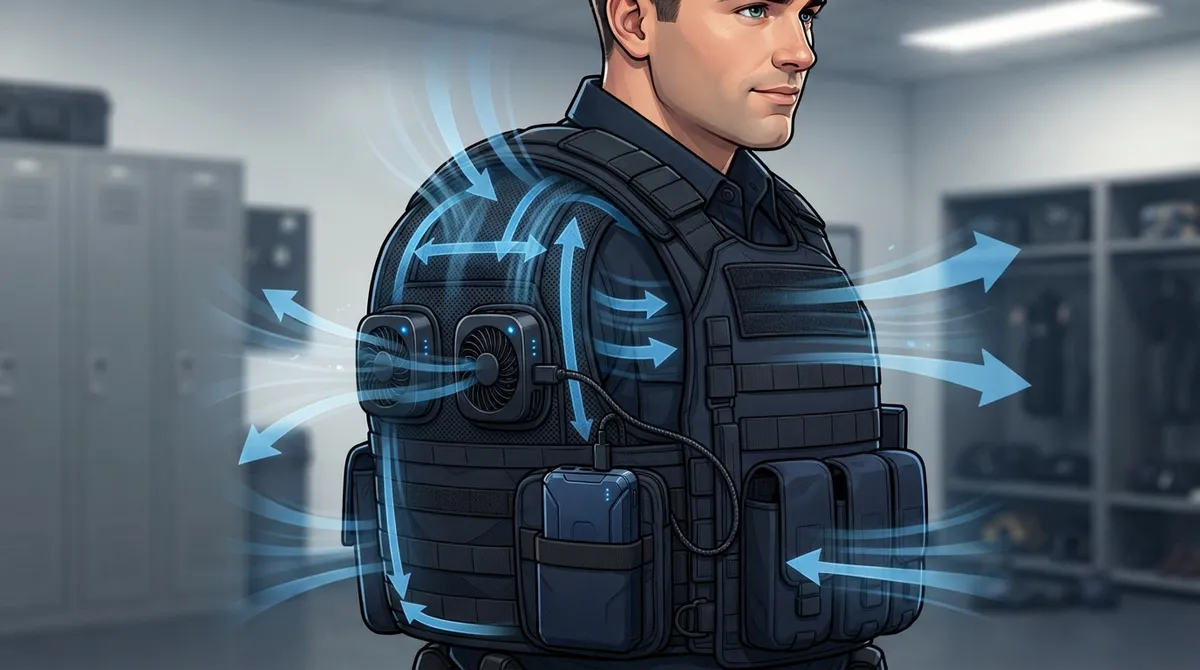
Let’s start with the basics. A body armor fan with a power bank is a small fan or fan module that moves air into the space between your body and your armor. A rechargeable USB battery pack runs it. It is not an air conditioner, and it does not make cold air.
Here is the simple science. A fan does not lower the temperature of the air it moves. What it does is help sweat evaporate off your skin. When sweat evaporates, you feel cooler. That is why a fan feels great on a warm, dry day and less helpful on a hot, sticky one.
According to NIOSH guidance on PPE heat burden, body armor and other clothing that blocks evaporation can add to your heat burden. Airflow can help, but your clothing and the weather still matter. So think of a fan as one helpful tool in your kit, not a magic fix.
What it can and cannot do
- It can: boost airflow, reduce trapped moisture, and improve comfort during long wear.
- It cannot: chill the air, replace hydration, or stand in for rest breaks and shade.
- It may struggle: in very hot, very humid conditions where sweat cannot evaporate well.
If you want a deeper look at how this works, check out our guide on how to stay cool under body armor with smart ventilation.

Step 1: Know Your Heat Situation
Before you shop, take a minute to think about where and how you work. The best fan setup for a desk-bound security guard is different from the best one for a SWAT operator or a firefighter.
Ask yourself these questions:
- How long is your shift? Eight hours? Twelve? Longer?
- How hot and humid does it get? Dry heat lets sweat evaporate. Humid heat makes it harder.
- How active are you? Standing post, patrolling, or running drills?
- Can you recharge during the day? A vehicle or wall outlet can top off a battery.
- What armor do you wear? Soft armor carrier, plate carrier, or an outer tactical vest?
Your answers shape everything else, especially battery size and fan design. For more background on the heat risks of armor, our article on how to prevent heat stress while wearing body armor is a great read.
Step 2: Match the Voltage and Power Bank
This is the step people skip, and it matters most. A fan and a power bank must be electrically compatible. Do not assume any USB power bank will work with any fan.
Some consumer fan-vest products call for 5 V USB power and warn against higher voltage. Fast-charging banks and some USB-C ports can output more than 5 V, so read the label on both your fan and your battery before you plug anything in.
What to check on the fan
- Required voltage (often 5 V)
- Current draw (for example, 2.0 A on some models)
- Connector type (USB-A, USB-C, or a proprietary plug)
What to check on the power bank
- Output voltage and amperage
- Capacity, measured in mAh
- Safety certifications and clear manufacturer charging guidance
A quick tip: when in doubt, use the battery the fan maker recommends. It removes the guesswork. Our battery powered vest cooling fans duty gear guide goes deeper on this topic.
Step 3: Understand Battery Runtime Honestly
Runtime claims are everywhere, and they can be confusing. Here is the honest truth: battery life depends on fan speed, battery capacity, conversion losses, and battery condition. An “up to” number is a best-case claim for one specific model.
To give you a sense of how much numbers can vary, look at what different sellers report:
| Source Type | Battery | Reported Runtime | Note |
|---|---|---|---|
| Consumer fan-vest listing | 5 V, 10,000 mAh | 13 hrs low, 8.8 hrs medium, 6.7 hrs high | Seller-reported for that product |
| Ventilation-vest industry page | 10,000 mAh pack | 8 to 32 hrs depending on setting | Manufacturer or retailer claim |
These are not universal standards. They are model-specific claims. So always test your full setup at the setting you plan to use before you count on it for a whole shift.
Simple runtime test
- Fully charge the power bank.
- Run the fan at your everyday speed.
- Note the start time and check every hour or two.
- Record when it stops.
- Plan your shift around that number, with a safety buffer.
Step 4: Make Sure It Fits Your Armor
Comfort means nothing if your protection is compromised. A fan and battery setup must fit your armor carrier and leave the protective panels correctly positioned. Avoid any modification that interferes with coverage, retention, fit, or the manufacturer’s instructions.
The National Institute of Justice body armor standards are a good reminder that armor is tested and rated as a system. Always check with your armor and vest makers if you are unsure about compatibility.
Look for a fan design that:
- Sits flat and low-profile under or against the carrier
- Directs air inward without shifting your plates
- Attaches securely without cutting or altering the armor
- Works with your carrier style and adjustment straps
If you are shopping for a full system, our guide on how to choose the right body armor ventilation vest in 2026 can help you compare options.
Step 5: Plan Where the Fan and Battery Go
A power bank adds weight and bulk. Where you put it matters for comfort and safety. It needs a secure spot, clean cable routing, and protection from impact, moisture, and snags.
Smart placement tips
- Keep the battery close to the fan to shorten cable length.
- Avoid spots that press into your ribs or spine when you bend or sit.
- Route cables so they cannot catch on a door frame, seatbelt, or gear.
- Keep the battery away from sharp edges and heavy impact zones.
- Follow the maker’s charging, storage, and temperature guidance.
This is one reason many pros like an all-in-one unit. Fewer loose parts means fewer things to snag or forget.
Meet the Top Picks: BluHalo and Blufano
If you want a proven, purpose-built approach, we recommend looking at the two products from BluHalo. Both were designed by people who understand life under body armor.
Blufano: the all-in-one fan and power bank system
Blufano is a self-contained, active airflow unit. It features a patented air-redirect spout that slides under any style of body armor, with an optional strap to secure it. Adjustable fan-driven airflow runs for 8 to 32 hours depending on the setting.
What makes it a standout is the built-in 10,000 mAh power bank. It runs the fan and can also charge your USB devices. It even has a forward-facing light for hands-free illumination in low-light moments. A simple control knob makes it easy to adjust with gloves on. Because the fan and battery are built together, you skip the guesswork of matching voltage and connectors.
Officers report improved comfort, less sweat, and better focus on hot days. If you want to dig in, read our how to use a BluFano body armor fan to stay cool guide.
BluHalo: the cooling-on-demand ventilation vest
BluHalo takes a different route. Created by a Chicago police officer, this lightweight ventilation vest weighs under 7 ounces. It attaches to a clean vest with Velcro, inflates on demand with a small pump, and lifts the armor up to about 1.5 inches off your body. That creates a cooling air gap. A button deflates it so it lies flat when you do not need it.
It is built from double-layer high-strength, high-tensile polyethylene for durability, and it costs just $60. Officers describe big comfort gains on long, hot shifts, including 12-hour days in 95-degree weather.
Better together
Here is a pro tip. BluHalo creates the air gap, and Blufano moves fresh air through it. Used together, they give you strong cooling performance under your gear. You can buy each one on its own, or bundle them at a discount. Not sure which fits you best? See our comparison of BluFano vs BluHalo.
Quick Comparison: Fan Setups at a Glance
| Feature | Blufano | BluHalo | Generic USB Fan + Bank |
|---|---|---|---|
| How it cools | Active fan airflow | Inflatable air gap | Active fan airflow |
| Built-in power bank | Yes, 10,000 mAh | No power needed | Separate, must match |
| Runtime | 8 to 32 hrs by setting | Not battery dependent | Varies widely |
| Fits under armor | Designed to slide under any style | Attaches with Velcro | Often not designed for armor |
| Extra features | USB charging, LED light | Under 7 oz, deflates flat | Usually none |
Step 6: Test Everything Before You Rely on It
Never take a new setup straight into a critical shift. A short trial at home or on a training day saves headaches later.
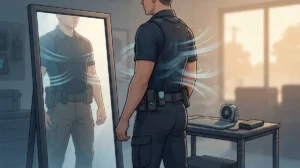
- Check the fit. Put on your full kit and confirm your armor sits correctly.
- Move around. Sit, stand, bend, draw, and get in and out of a vehicle.
- Watch the cables. Make sure nothing snags or pulls.
- Run the battery test. Confirm the runtime at your real fan setting.
- Check the noise. Make sure it is quiet enough for your job.
If anything feels off, adjust it before duty. A few minutes of testing now can prevent a distraction when it counts.
Step 7: Use the Fan as Part of a Bigger Plan
Here is the friendly but important reminder. A fan is a helpful comfort tool, not a replacement for real heat-safety habits. NIOSH lists air-cooled garments and personal cooling systems as auxiliary options, meaning they work alongside other controls.
Pair your fan with these basics, which line up with OSHA heat stress guidance:
- Drink water regularly, before you feel thirsty
- Take rest breaks in shade or a cooled space
- Build up your heat tolerance gradually
- Watch yourself and your teammates for signs of heat illness
- Wear moisture-wicking layers under your armor
Signs to take seriously include dizziness, heavy sweating, nausea, headache, confusion, and muscle cramps. If you see them, stop, cool down, and get help. No piece of gear is worth ignoring your body.
For more ideas, browse our list of 7 ways to stay cool under pressure in body armor.
Common Mistakes to Avoid
Learn from others so you do not repeat their errors:
- Using the wrong power bank. Higher voltage can damage a 5 V fan.
- Trusting “up to” runtimes. Always test your own setup.
- Blocking armor coverage. Never let a fan shift your protective panels.
- Ignoring cable management. Loose wires snag at the worst moment.
- Skipping hydration. A fan does not replace water.
Our article on 7 body armor cooling fan mistakes you must avoid covers these in more detail.
Ready to Cool Off Under Your Gear?
Choosing a body armor fan with power bank does not have to be complicated. Know your heat situation, match your voltage, be honest about runtime, confirm the fit, and place everything smartly. Then test it before duty and keep good heat-safety habits.
If you want a setup that is already built for this job, take a look at BluHalo and Blufano. They are designed to keep fresh air moving under your armor so you can stay focused, drier, and more comfortable through the whole shift. Have questions or want help picking the right combo? Get in touch with our team and we will gladly point you in the right direction.
FAQs
Q: Can I use a regular USB power bank to run a body armor fan?
A: Sometimes, but not always. Many vest fans need 5 V power and can be harmed by higher voltage from fast-charging banks, so check the labels on both your fan and battery first. When in doubt, use the power bank the fan maker recommends, or choose an all-in-one system like Blufano with a built-in 10,000 mAh battery.
Q: How long will a body armor fan run on a 10,000 mAh power bank?
A: It depends on the model and fan speed. Seller-reported figures range from about 6.7 hours on high to 13 hours on low for one product, while Blufano reports 8 to 32 hours depending on the setting. Always test your full setup at your real speed before trusting it for a full shift.
Q: Do body armor fans actually cool you in hot, humid weather?
A: They help, but the effect depends on the weather. A fan moves air so sweat can evaporate, which feels cooler, but very hot or humid air limits that benefit. That is why a fan works best alongside hydration, rest breaks, and shade.
Q: Will a vest fan affect my armor coverage or fit?
A: It should not, if you choose the right design. Pick a low-profile fan that slides under or attaches to your carrier without shifting your protective panels, and never cut or alter your armor. Check compatibility with your armor and vest makers if you are unsure.
Q: Is a ventilation fan a substitute for heat-stress controls?
A: No, it is a helpful add-on rather than a replacement. NIOSH treats personal cooling systems as auxiliary options, so keep drinking water, taking rest breaks, and watching for signs of heat illness while you use your fan.